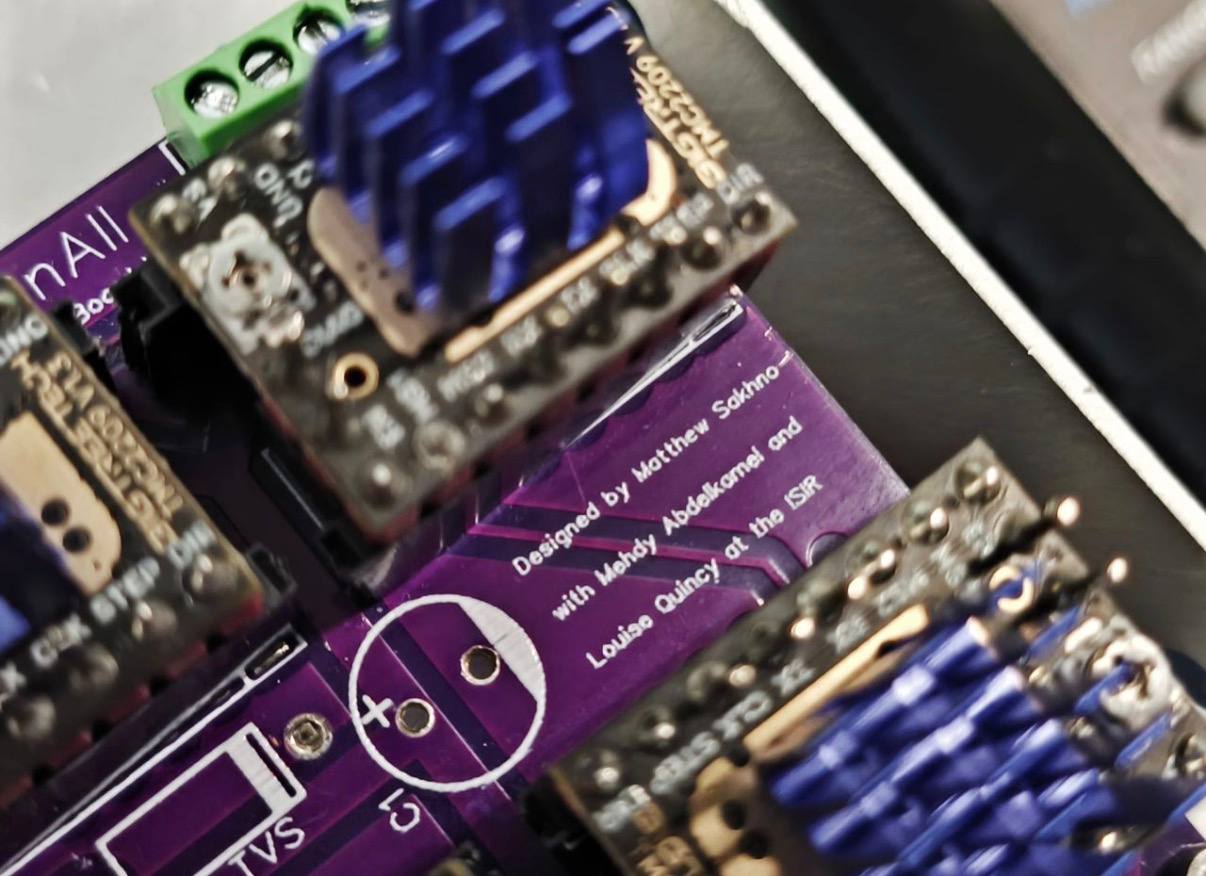
I redesigned the electrical system for Sn.AI.l to turn a collection of modules into one reliable robot power-and-control platform. The PCB tied together the Jetson Orin Nano, motor control, the head servo, charging and battery management, soft shutdown, and wheel-encoder odometry.
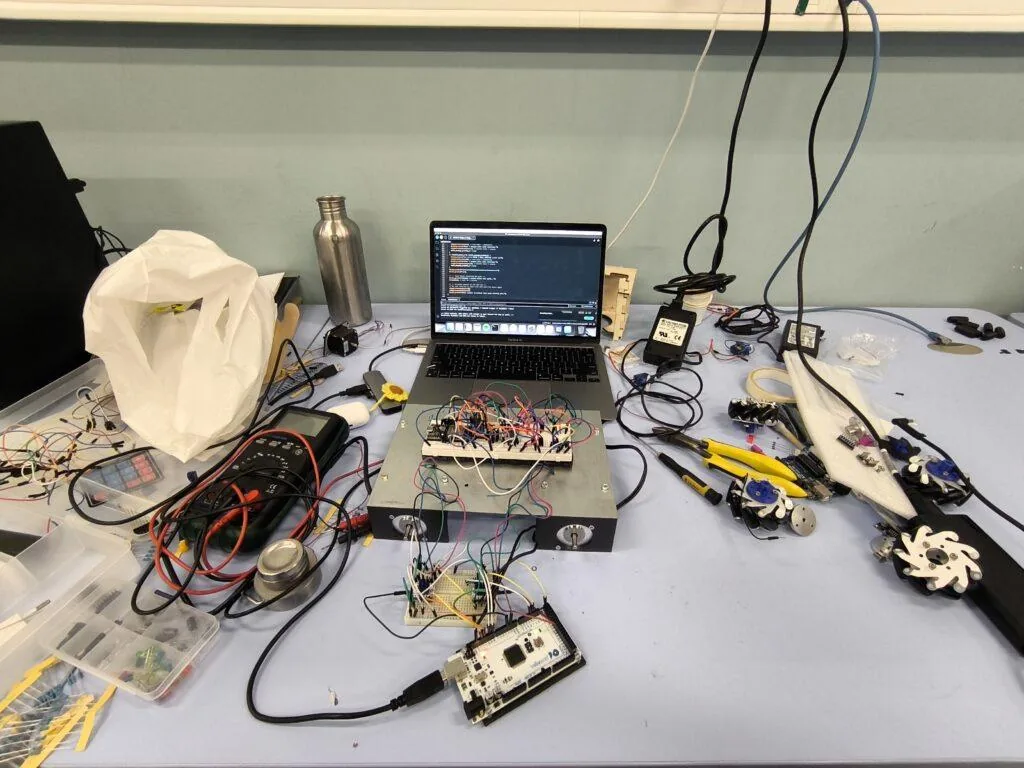
At first I prototyped the system with breadboards and temporary wiring, but it quickly became clear that the robot needed a dedicated board. Moving to a custom PCB was the point where the electrical side stopped feeling like a patchwork of parts and started feeling like an actual product architecture.
What the board needed to handle
The PCB was responsible for much more than power distribution. It had to act as the electrical interface between the compute stack, motion system, battery system, and user controls:
- Connect the Jetson Orin Nano to the motor control electronics
- Drive four TMC2209 stepper motor drivers for the wheels
- Control the head servo and leave room for future arm servos
- Expose the wheel encoder signals for odometry
- Handle charging through the battery management system
- Measure battery voltage for battery percentage
- Support a proper soft shutdown sequence for the Jetson
That combination pushed me toward a custom 4-layer PCB with an ESP32 at the center of the control logic. I wanted one board that could manage real robot behavior instead of a stack of unrelated modules.
From prototype to system architecture
One of my goals was to make the architecture understandable and maintainable. I built the design around a clear power path so the Jetson, motors, camera, LiPo battery, BMS, USB charging, and PCB all worked together as one system instead of separate modules.
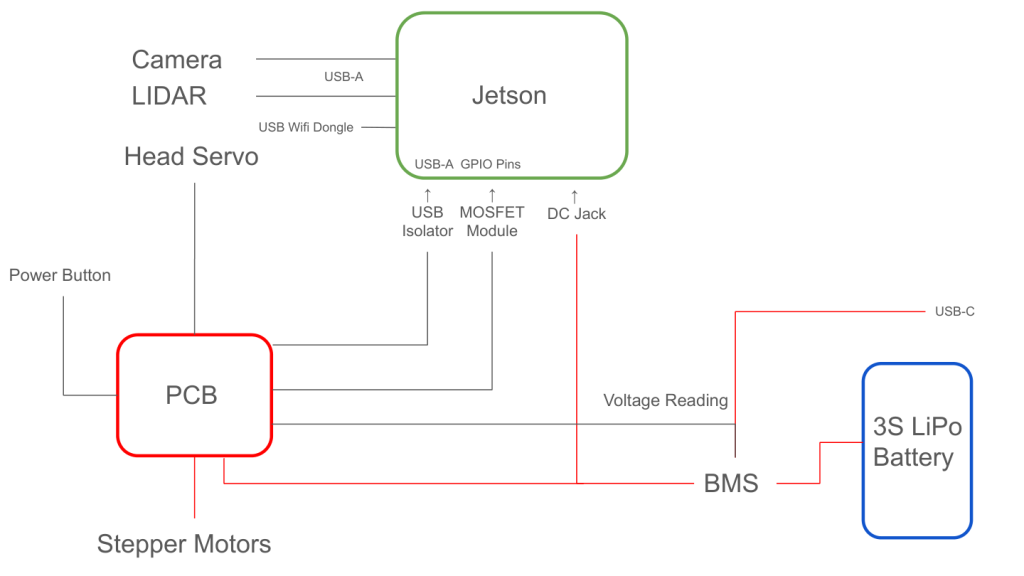
That design pass made a big difference: it forced me to think about the robot as an integrated product, not just a collection of subsystems.
PCB layout and integration
The layout was where the tradeoffs became real. I had to fit the ESP32, stepper driver circuitry, servo control, Jetson power control, protection components, connectors, and the power path into a compact board that could actually fit inside the robot shell.
I also had to think about signal integrity and current paths. The 3.3V rail for the ESP32 and the logic side of the drivers needed to stay clean, while the motor rails had to tolerate noisy switching loads. That meant paying attention to trace width, placement, and return paths instead of just making the schematic look correct.
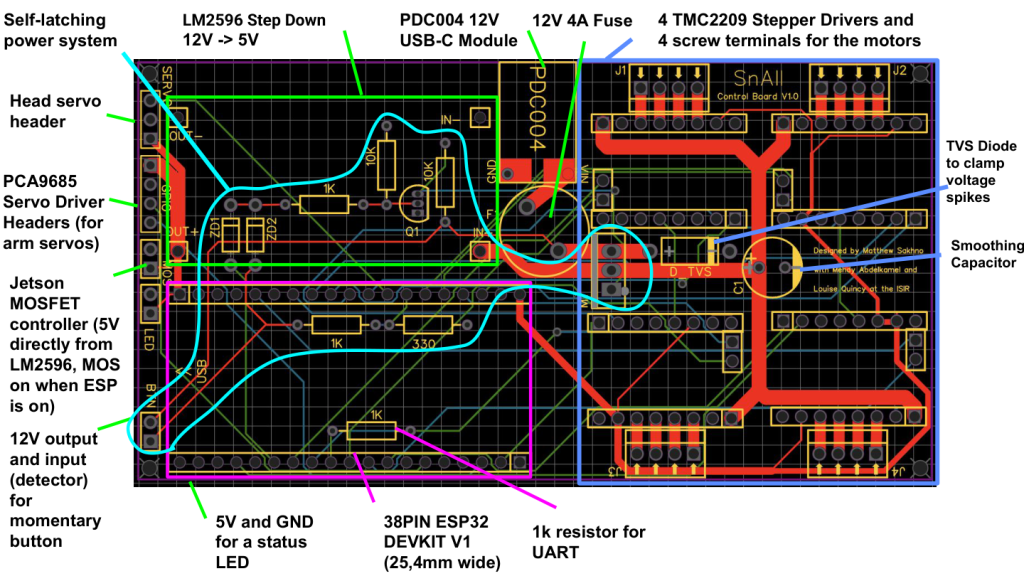
Getting there took iteration. I revised connectors, rerouted messy sections, and simplified the layout until it felt robust enough to trust in a real robot.
Power, charging, and battery monitoring
Battery behavior mattered a lot to me because I wanted the robot to feel dependable in practice. The power path starts with 12V input, a fuse, and a P-channel MOSFET switch. From there, the system feeds the board and the motor drivers through regulated rails.
I added a TVS diode and smoothing capacitor near the motor power path because stepper drivers are noisy loads and can kick energy back onto the rail when they decelerate or switch phases. Those parts help protect both the latch circuit and the Jetson from spikes.
The robot also uses a LiPo battery with a BMS and USB-C charging so it can be charged and operated as one system. I brought battery sensing into the ESP32 so the software could estimate battery percentage instead of guessing. That made the robot much easier to demo and much closer to something you can use repeatedly in a lab setting.
Soft shutdown and safe power control
Because the Jetson is a full computer, I could not treat power like a simple toggle. A hard cut risks filesystem corruption, so I built a soft shutdown circuit.
I tried a few MOSFET-only approaches first, but the gate-drive behavior and body-diode effects made them unreliable. What I eventually built was a button-triggered latch: the button wakes the board, the ESP32 holds the latch on, and a second press requests shutdown over USB before power is released.
That circuit made the robot behave like a real appliance instead of a bench prototype. It also forced me to think about failure modes: what happens if the button is pressed too early, what happens if the Jetson takes longer to shut down, and what happens if the system is powered in a half-initialized state.
Why odometry mattered
I brought the wheel-encoder signals onto the board so the software could estimate odometry. That gave the robot a better sense of distance and heading, which is important for navigation and overall system behavior.
It is one of those details that is easy to overlook, but it makes the whole robot feel much more complete.
The finished PCB
Seeing the finished PCB installed in the robot was the best proof that the electrical work had paid off. It was no longer just a schematic or a layout file - it was a functioning control board tying the whole system together.
At that point the robot had a clearer power architecture, safer startup and shutdown behavior, and a motion stack that was much easier to reason about. That made the rest of the project feel more stable and much more credible as a finished platform.
What I took away from it
This project taught me a lot about building real hardware systems: power distribution, charging, safe shutdown, sensor integration, layout tradeoffs, and making all the pieces work together reliably.
More importantly, it taught me how to think like the person responsible for the whole platform. The PCB was not just an electronics exercise - it was the layer that made the robot dependable, debuggable, and ready for real use.